PicsArt vs Canva (2025): The No-Fluff Comparison for Creators & Teams
If you’re torn between PicsArt (strong photo editor with creative effects) and Canva (template-driven design platform with brand tools), this guide gives you the practical differences: editing depth, drag-and-drop design speed, AI tools, team collaboration, exports, and more—so you can pick the best fit for your workflow.
Quick Verdict (TL;DR)
- Best for photo editing & special effects: PicsArt — stronger layers, masks, artistic filters, mobile-first retouching, and playful overlays.
- Best for brand design & team workflows: Canva — massive template library, brand kit, real-time collaboration, multi-format exports (PNG, JPG, PDF, MP4, SVG (Pro)).
- Choose by project type: Photo-heavy, stylized edits → PicsArt. High-volume social graphics, presentations, marketing kits, and team reviews → Canva.
At a Glance (Feature Table)
| Area | PicsArt | Canva |
|---|---|---|
| Primary Strength | Photo editing, effects, drawing | Graphic design, brand content, decks |
| Ease of Use | Intuitive but tool-dense | Beginner-friendly drag-and-drop |
| Templates | Good, creative-leaning | Huge library across categories |
| AI Tools | BG/Object remove, filters, effects | BG remove, text-to-image, Magic tools |
| Collaboration | Basic sharing/community | Robust real-time co-edit & comments |
| Exports | JPG, PNG (varies by plan) | PNG, JPG, PDF, MP4, SVG (Pro) |
| Best For | Creators, mobile editors | Social teams, SMBs, agencies |
Pricing and plan names change—always verify on official pages before purchasing.
Who Should Use Which? (Use-Case Matrix)
- Solo creators & mobile editors: If you edit photos on phone, rely on filters/overlays, or paint/draw—PicsArt feels natural.
- Social media managers & SMBs: Need on-brand posts, stories, ads, presentations, and quick resizes? Canva wins for speed.
- Agencies & teams: Canva shines with brand kits, shared libraries, commenting, permissions, and templates at scale.
- Students & non-designers: Canva’s templates + drag-and-drop get you pro-looking results fast.
Ease of Use & Learning Curve
PicsArt: Packed with tools; a bit denser UI for first-timers, but extremely expressive once you learn layers, masks, and the effects stack.
Canva: Minimal UI, searchable elements, and auto-layout patterns. Fastest route from idea → finished social graphic or slide.
Speed takeaway:
- One-off photo glow-ups: PicsArt.
- Batch content and decks: Canva.
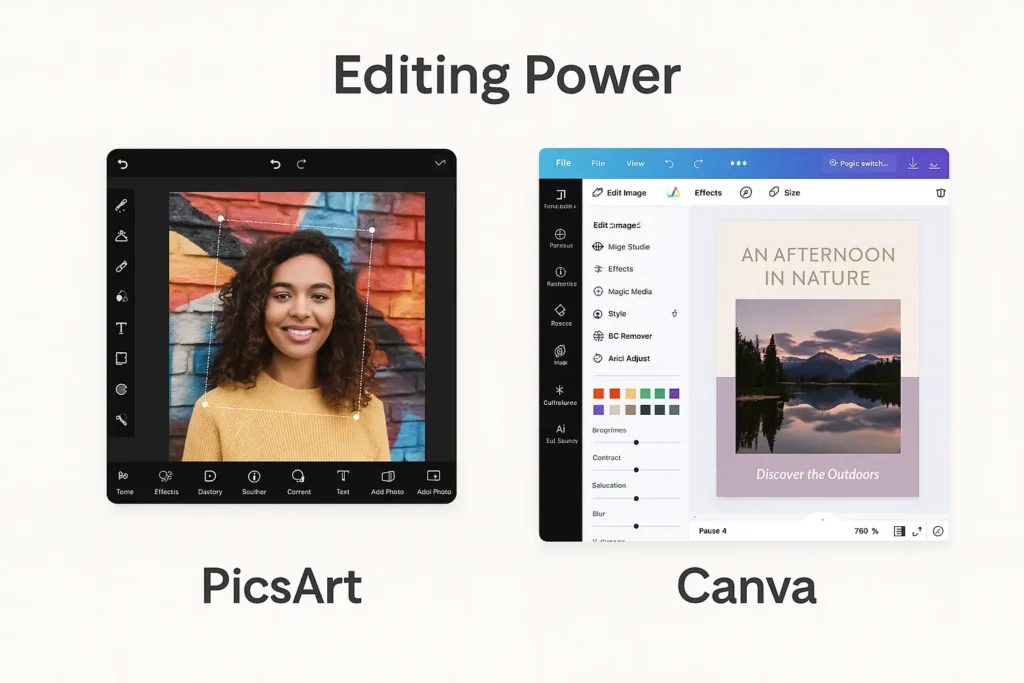
Editing Power: Photos, Layers & Effects
- PicsArt: Strong layering, masking, blend modes, selective edits, retouching, artistic filters/overlays, drawing/brushes. Great for stylized looks, thumbnails, and creative composites.
- Canva: Solid basic edits (crop, adjust, filters) within a design canvas. Ideal for layout-first work rather than deep photo surgery.
If you live in layers and local adjustments, PicsArt is the better “photo editor.”
Templates, Brand Kits & Content Types
- PicsArt: Creative templates for social posts, collages, and posters; good for visually bold content.
- Canva: Massive template coverage—Instagram/TikTok, presentations, infographics, flyers, logos, mockups, posters, even webpage-style scrollers. Brand Kit (logos, colors, fonts) ensures consistent output across a team.
Scale & consistency favors Canva.
AI Features (2025 Landscape)
- PicsArt: Background/Object removal, stylized AI effects, filters, fun generative tweaks for artistic flair.
- Canva: Background remover, Text-to-Image, “Magic” tools for auto-layout, expand/fill, erase, copywriting assists, and auto-resize for formats.
For design automation and layout magic, Canva’s AI suite is more workflow-oriented.
Collaboration & Sharing
- PicsArt: Share to socials and within a creative community; collaboration is lighter.
- Canva: Real-time co-editing, comments, versioning, shareable links, roles/permissions. Efficient for reviews and approvals.
Teams → Canva.
Export & File Formats
- PicsArt: Exports JPG/PNG (plan-dependent), good for social publishing.
- Canva: PNG, JPG, PDF, SVG (Pro), MP4, GIF, with quality controls and transparent PNG. Great for multi-channel delivery.
Mixed media & print deliverables → Canva.
Platforms & Performance
Both support Android / iOS / Web; both offer desktop options (web apps are common).
- PicsArt: Optimized for mobile editing; feels like a creative playground on phone.
- Canva: Web-first; smooth on desktop for batch design, presentations, and brand asset management.
Pricing & Plans (Check Current Rates)
Both offer free plans with limitations (e.g., premium assets, watermark rules, export types).
- PicsArt: Individual tiers often unlock advanced effects, higher-quality exports, and asset access.
- Canva: Pro for solo power users, Teams for collaboration and brand kit.
Prices, inclusions, and names change frequently—confirm on the official pricing pages before you decide.
Pros & Cons
PicsArt Pros
- Strong photo editing tools (layers/masks/retouch).
- Expressive filters/overlays and drawing tools.
- Mobile-first; great for on-the-go edits.
PicsArt Cons
- Heavier learning curve for non-editors.
- Collaboration is limited vs. Canva.
- Template breadth smaller than Canva’s.
Canva Pros
- Huge template library + brand kit.
- Drag-and-drop speed; auto-resize for formats.
- Real-time collaboration, comments, permissions.
- Broad exports (PNG/JPG/PDF/SVG/MP4/GIF).
Canva Cons
- Photo edits are shallower than PicsArt’s.
- Some Pro assets/tools behind paywall.
- Creative effects less “artistic” than PicsArt.
Final Recommendation
- Pick PicsArt if your work centers on photo manipulation, artistic effects, and creative mobile editing.
- Pick Canva if you need fast, on-brand graphics across many formats, with team collaboration, brand kits, and rich exports.
- Many creators actually use both: PicsArt for photo polish, Canva for layouts and delivery.
FAQs
Is Canva better than PicsArt?
For design workflows, brand assets, decks, and teams, yes—Canva. For photo-heavy, stylized edits, PicsArt is stronger.
Which is easier for beginners?
Canva. The template system reduces decisions and speeds output.
Which is best for Instagram/TikTok content?
Both: PicsArt for striking photo looks and thumbnails; Canva for carousels, Reels covers, story sets, and batch resizing.
Do both support transparent PNG?
Yes (often plan-dependent). Canva adds PDF/SVG/MP4/GIF flexibility.
What about watermarks?
Free plans in either app can gate certain assets/exports. Always check the export preview for watermark notices.